Pick your phone, get a straight yes or no on Total Adblock
The same ad blocker behaves quite differently on an iPhone and on an Android. Tell us which one you carry and we'll show you what gets cleaned up, what doesn't, and the setup in a few ticks.
OpenBloomway Editorial TeamFacts checked November 2026
The short answer
For most people who browse in Safari on iPhone, or who want ads trimmed across an Android phone rather than inside one browser, yes: at roughly $19 for the first year it's a low-risk thing to try. The catch is the renewal price, so put a reminder in your calendar the day you buy.
Tap yours for a verdict written for that phone, the fine print that applies to it and a setup checklist you can tick off as you go.
Showing the iPhone answer. Tap Android to switch.
Both answers are below: iPhone and iPad first, then Android.
Your iPhone answer
Yes if Safari is where you browse
On iPhone and iPad, Total Adblock switches on as Safari content blockers. Banners, video ads, pop-ups and cookie prompts drop out of the pages you open in Safari, and an allow list keeps ads on the sites you want to support. It can't reach other browsers, the YouTube app or ads inside apps, because Apple only lets content blockers work in Safari.
CoveredSafari on iPhone & iPad, including YouTube in Safari
Not coveredIn-app ads, games, the YouTube app
Fine print for iPhone
Free to download, paid to block. Ad blocking needs a paid plan, bought as an in-app purchase.
The renewal jump. About $19 for year one, then it renews automatically at about $99 a year. Cancel at least 24 hours before in Settings › your name › Subscriptions.
Check the developer. Look-alike apps exist. The real one is "Total Adblock - Ad Blocker" by Total Security Limited (4.0★, about 43K ratings, 49.9 MB).
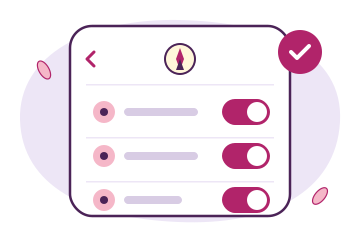
Illustration of the Safari switches, not a screenshot of the app.
On Android, Total Adblock filters on the phone itself through a local, VPN-like connection, so it isn't tied to a single browser, and the official site says it also takes on in-play YouTube ads. Setup asks for a few more taps than on iPhone: a download from the official site, an install permission and a security certificate.
CoveredAds, trackers and risky sites across your browsing
May slip throughAds built into games and other apps
Fine print for Android
Not on Google Play. It comes from totaladblock.com (Samsung: also the Galaxy Store) and needs Android 8 or later. Expect a "File might be harmful" or Play Protect prompt.
Keep the connection on. The VPN-like connection does the filtering locally; switch it off and blocking stops. Media access is only used to save the certificate.
Same renewal jump. About $19 for year one, about $99 a year after. Manage renewal in your Total Adblock account.
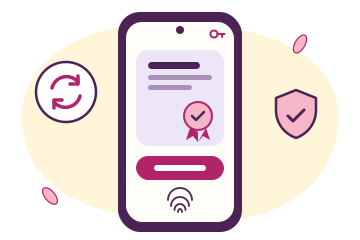
Illustration of the certificate step, not a screenshot of the app.
Presets let you lean toward speed, privacy or annoyances, and the allow list lets your favourite sites keep earning.
Banners & video ads
Banners, pop-ups and video ads stop crowding the page.
Cookie prompts
Cookie warnings and other web annoyances are blocked.
Trackers
Third-party scripts and like/share widgets that follow you around.
Scam sites
Known phishing and malware-spreading sites are blocked.
Heavy pages
Less to load means quicker pages, less data and better battery life.
And the one thing it can't promise
Ads built into apps such as games or tools are served from inside the app, so on a phone they may not be blockable at all. How much gets caught also varies with your device and settings.
Honest match-up
Worth paying for, or is free enough?
Good fit if you…
want ads gone in Safari without switching browsers
are on Android and want blocking beyond one browser
care about scam and phishing site protection
like having email and live-chat support if something misbehaves
Not a fit if you…
mainly want ads gone inside iPhone apps or games
do most iPhone browsing outside Safari
are happy using a free browser with built-in blocking
would rather not install Android apps from outside Google Play
Before you tap buy: four quick checks
The developer reads Total Security Limited.
A reminder is set before the renewal date.
On iPhone, you browse in Safari.
Sites you love go on the allow list.
Cost math
What it costs per month, in each year
Year one, ~$19≈ $1.58/mo
After renewal, ~$99/yr≈ $8.25/mo
Year one is the easy decision. Year two is the one to make on purpose: a few days before the renewal, ask whether cleaner pages are worth the full price to you, and turn off auto-renew if not.
Settings
Your name
Subscriptions
Bought on the web? Turn off renewal in your Total Adblock account. Prices are approximate, can vary by region and offer, and the final price is shown at checkout.
Two App Store voices
One happy, one stuck at setup
“I really liked it and thought that it made a huge difference and helped my webpages to load faster.”
MPERKS member Dayton, OHApp Store review,
“When I went to set it up it was confusing and I was still seeing ads everywhere.”
Sela RApp Store review,
That second one is why the checklists above exist: on iPhone, nothing is blocked until every Safari switch is on. Read all reviews on the App Store
FAQ
Still deciding?
How do I make sure I'm installing the real Total Adblock?
Look-alike apps with similar names exist. On the App Store, check that the developer is Total Security Limited. On Android, download it only from the official Total Adblock website (Samsung owners can also use the Galaxy Store).
Will it block ads in the YouTube app or in games on my iPhone?
No. On iPhone and iPad, Total Adblock works through Safari content blockers, and Apple only lets those work inside Safari. YouTube in Safari is covered; the YouTube app and ads built into games and other apps are not.
Why isn't the Android version on Google Play?
Total Adblock for Android is downloaded from totaladblock.com instead of Google Play, or from the Galaxy Store on Samsung phones. Android may warn that the file might be harmful, and you allow installs from your browser. During setup it asks for a VPN-like connection that filters locally and a security certificate; without the connection, blocking will not work. It needs Android 8 or later.
Is Total Adblock free?
The app is free to download, but ad blocking needs a paid plan. The first year costs about $19, and the plan renews automatically at about $99 a year. The final price is shown at checkout.
How do I stop it renewing at the full price?
On iPhone or iPad, open Settings, tap your name, then Subscriptions, and cancel at least 24 hours before the period ends. If you bought on the web, turn off renewal in your Total Adblock account. You don't have to wait: you can turn auto-renew off right after you buy.
Who makes Total Adblock, and is OpenBloomway connected to them?
Total Adblock is built by Total Security Limited, the maker of TotalAV, and offers support by email and live chat. OpenBloomway is not affiliated with or endorsed by Total Security Limited. This page is a paid advertorial and we may earn a commission.
Picked your phone? Here's the offer.
iPhone: from the App Store, working in Safari. Android: from the official site, filtering on the phone. Either way, the final price is on the checkout screen.
Roughly $19 for year one, then about $99 a year once it renews. You'll see the final price at checkout.
*Affiliate link. We may earn a commission if you buy through it, at no extra cost to you.
Sources, as of November 2026: AllAboutCookies (pricing and the 100/100 AdBlock Tester result), the US App Store listing, totaladblock.com and help.totaladblock.com.
This page is a paid advertorial brought to you by openbloomway.com. It is intended for promotional purposes only and should not be considered independent journalism, editorial content, or consumer advice. The content has been created or curated by the advertiser and may include affiliate links. We may receive compensation if you choose to purchase a featured product or service via the links provided. Confirm the current price and terms in the app or on the official site before you buy. Please refer to our Advertising Disclaimer and Privacy Policy for more information.